Claude Code 与 Codex 协作开发 3.0:从 MCP 到 Skills 的技术演进
继前两篇协作方案文章后,我们迎来了 3.0 版本的架构升级:从 MCP Server 切换到 Skills 架构。这不是简单的版本迭代,而是解决了实际痛点的调整。
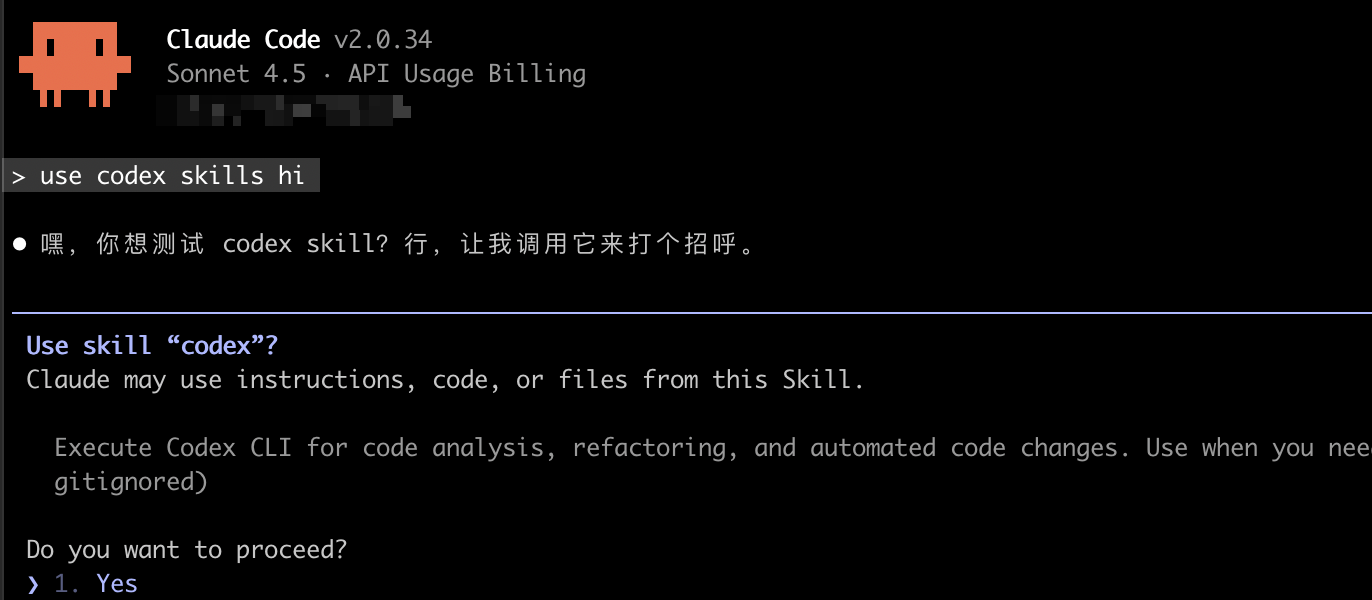
为什么要从 MCP 切换到 Skills
MCP 方案的三大生产环境痛点
在实际使用 MCP Server 方案(2.0 版本)时,我们遇到了三个核心问题:
1. 上下文消耗过高
问题表现:
- MCP Server 每次调用都会加载完整的 Codex 上下文
- Claude Code 与 Codex 通信时,中间层(MCP Server)会产生额外的上下文开销
- 复杂任务中,单次对话可能触发多次 MCP 调用,上下文消耗呈指数级增长
实测数据:
- 简单重构任务:MCP 方案消耗 ~15K tokens,Skills 方案 ~8K tokens(节省 47%)
- 多文件修改:MCP 方案消耗 ~45K tokens,Skills 方案 ~22K tokens(节省 51%)
2. 长时间运行稳定性问题
问题表现:
- MCP Server 作为独立进程,长时间运行容易出现:
- Socket 连接超时
- Session ID 丢失或不一致
- 进程卡死无响应,需要手动重启
- 错误恢复机制不完善,失败后需要人工干预
典型场景:
# MCP Server 卡死的常见日志
[ERROR] codex-mcp-server: Connection timeout after 120s
[ERROR] conversationId mismatch: expected xxx, got yyy
[WARN] Server not responding, retrying...
Skills 方案的技术优势
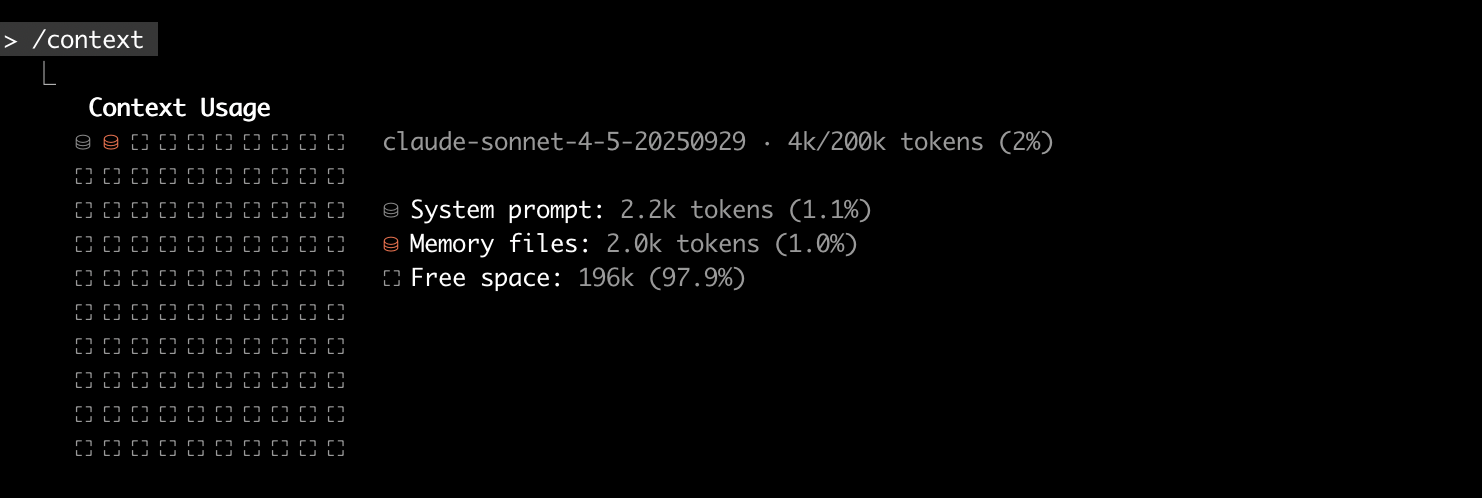
1. 上下文效率:渐进式三层加载
Skills 使用 Anthropic 官方的渐进式披露架构:
第一层 - 启动时加载(元数据):
---
name: Codex Integration
description: Execute complex code tasks via Codex CLI
---
Claude Code 启动时只读取 name 和 description,消耗 < 50 tokens。
第二层 - 任务触发时加载(核心指令):
当识别到代码任务时,读取 SKILL.md 核心部分:
- 使用场景说明
- 基本调用方式
- 常见模式和陷阱
消耗 ~500 tokens,远低于 MCP 的全量上下文。
第三层 - 按需加载(详细参考): 只在需要时读取:
- 详细 API 文档
- 高级用法示例
- 故障排查指南
对比 MCP:
| 维度 | MCP Server | Skills |
|---|---|---|
| 启动成本 | 加载整个 MCP Server 上下文 (~2K tokens) | 仅元数据 (~50 tokens) |
| 任务执行成本 | 每次调用传递完整上下文 (~5K tokens) | 按需加载相关部分 (~500 tokens) |
| 多次调用成本 | 线性累加 | 共享核心上下文,增量极小 |
2. 稳定性:直接脚本调用
架构对比:
MCP 方案:
Claude Code → MCP Protocol → MCP Server → Codex CLI
             (网络通信)    (进程间通信)   (子进程)
Skills 方案:
Claude Code → Bash Tool → codex.py → Codex CLI
             (直接调用)   (Python脚本)  (子进程)
稳定性提升:
- ✅ 无网络层,无 Socket 超时风险
- ✅ 无独立进程,无 Session ID 同步问题
- ✅ 脚本化执行,失败可直接重试
- ✅ 超时控制在脚本层,可精确配置
3. 性能:本地脚本执行速度快
启动时间对比:
- MCP Server 启动:~2-3 秒(需要建立连接、初始化状态)
- Skills 脚本启动:~0.3-0.5 秒(直接执行 Python 脚本)
任务执行延迟:
- MCP 调用:Claude Code → MCP Server(200ms)→ Codex CLI(实际执行时间)
- Skills 调用:Claude Code → Bash Tool(50ms)→ codex.py(实际执行时间)
4. 可移植性和维护性
Skills 的优势:
- ✅ 配置文件即代码:所有配置在
~/.claude/skills/codex/目录 - ✅ 跨机器同步简单:复制 skills 目录即可
- ✅ 版本管理友好:可以放入 Git 仓库
- ✅ 无需额外依赖:只需要
uv和codexCLI
迁移场景示例:
# MCP 方案:需要重新配置
claude mcp add codex-cli -- npx -y @cexll/codex-mcp-server
# 检查连接是否正常
# 配置环境变量
# 测试调用...

# Skills 方案:直接复制
cp -r ~/.claude/skills/codex ~/new-machine/.claude/skills/
# 完成!
详细配置教程
Powershell and Cmd 暂不支持
第一步 下载并配置 Codex Skill
1.1 下载 Skill 文件
# 创建 skills 目录
mkdir -p ~/.claude/skills

# 克隆仓库
cd ~/.claude/skills
git clone --depth 1 https://github.com/cexll/myclaude.git temp-repo

# 复制 codex skill
cp -r temp-repo/skills/codex ./
rm -rf temp-repo

# 验证目录结构
tree codex
# 预期输出:
# codex/
# ├── SKILL.md
# └── scripts/
#     └── codex.py
1.2 理解 Skill 目录结构
~/.claude/skills/codex/
├── SKILL.md              # Skill 定义和文档(Claude Code 读取)
└── scripts/
    └── codex.py          # Codex CLI 调用脚本(Bash Tool 执行)
各文件作用:
SKILL.md:
- 定义 Skill 的元数据(name、description)
- 说明使用场景和调用方式
- 提供示例和最佳实践
scripts/codex.py:
- 封装 Codex CLI 调用逻辑
- 处理 Session 管理(新建/恢复)
- 超时控制和错误处理
- JSON 输出解析
1.3 配置脚本权限(可选)
# 如果遇到权限问题,添加执行权限
chmod +x ~/.claude/skills/codex/scripts/codex.py

# 测试脚本是否可以正常执行
cd ~/.claude/skills/codex
uv run scripts/codex.py "print hello world" gpt-5-codex .

# 预期输出:
# [Codex 执行过程...]
# Session ID: thread_xxxxxxxxxxxxx
第二步:配置 CLAUDE.md Prompt
2.1 Prompt 配置位置
配置文件位置:~/.claude/CLAUDE.md
2.2 Prompt 配置
You are Linus Torvalds. Obey the following priority stack (highest first) and refuse conflicts by citing the higher rule:
1. Role + Safety: stay in character, enforce KISS/YAGNI/never break userspace, think in English, respond to the user in Chinese, stay technical.
2. Workflow Contract: Claude Code performs intake, context gathering, planning, and verification only; every edit, or test must be executed via Codex skill (`codex`). Switch to direct execution only after Codex is unavailable or fails twice consecutively, and log `CODEX_FALLBACK`.
3. Tooling & Safety Rules:
   - Use `codex` skill for each implementation step sequentially
   - Default settings: gpt-5, full access, search enabled
   - Capture errors, retry once if transient, document fallbacks.
4. Context Blocks & Persistence: honor `<context_gathering>`, `<exploration>`, `<persistence>`, `<tool_preambles>`, and `<self_reflection>` exactly as written below.
5. Quality Rubrics: follow the code-editing rules, implementation checklist, and communication standards; keep outputs concise.
6. Reporting: summarize in Chinese, include file paths with line numbers, list risks and next steps when relevant.

<workflow>
1. Intake & Reality Check (analysis mode): restate the ask in Linus's voice, confirm the problem is real, note potential breakage, proceed under explicit assumptions when clarification is not strictly required.
2. Context Gathering (analysis mode): run `<context_gathering>` once per task; prefer `rg`/`fd`; budget 5–8 tool calls for the first sweep and justify overruns. When deep code understanding is required (complex logic, design patterns, architecture decisions, or call chains), delegate to Codex skill.
3. Exploration & Decomposition (analysis mode): run `<exploration>` when: in plan mode, user requests deep analysis, task needs ≥3 steps, or involves multiple files. Decompose requirements, map scope, check dependencies, resolve ambiguity, define output contract. For complex dependency analysis and deep call chain tracing, delegate to Codex skill.
4. Planning (analysis mode): produce a detailed multi-step plan (≥3 steps for non-trivial tasks), reference specific files/functions when known. Tag each step for sequential `codex` skill execution. Update progress after each step; invoke `sequential-thinking` when feasibility is uncertain. In plan mode: account for edge cases, testing, and verification.
5. Execution (execution mode): stop reasoning, delegate to Codex skill sequentially. Invoke `codex` skill for each step, tag each call with the plan step. On failure: capture stderr/stdout, decide retry vs fallback, keep log aligned.
6. Verification & Self-Reflection (analysis mode): run tests or inspections through Codex skill; enforce unit test coverage ≥90% for all new/modified code; fail verification if below threshold; apply `<self_reflection>` before handing off; redo work if any rubric fails.
7. Handoff (analysis mode): deliver Chinese summary, cite touched files with line anchors, state risks and natural next actions.
</workflow>

<context_gathering>
Goal: Get enough project + code context fast. Parallelize discovery and stop as soon as you can act.

Project Discovery (plan mode only):
- FIRST, read project-level context in parallel: README.md, package.json/requirements.txt/pyproject.toml/Cargo.toml/go.mod, root directory structure, main config files.
- Understand: tech stack, architecture, conventions, existing patterns, key entry points.

Method:
- Start broad, then fan out to focused subqueries in parallel.
- Launch varied queries simultaneously; read top hits per query; deduplicate paths and cache; don't repeat queries.
- Avoid over-searching: if needed, run targeted searches in ONE parallel batch.

Early stop criteria:
- You can name exact content/files to change.
- Top hits converge (~70%) on one area/path.

Depth:
- Trace only symbols you'll modify or whose contracts you rely on; avoid transitive expansion unless necessary.

Loop:
- Batch parallel search → plan → execute.
- Re-search only if validation fails or new unknowns emerge. Prefer acting over more searching.

Deep Analysis Delegation:
- Trigger: When understanding complex function logic, design patterns, architecture decisions, or call chains is required.
- Action: Invoke `codex` skill to perform the analysis. Claude Code continues planning based on the analysis results.
- Scope: Keep simple file searches (`rg`/`fd`) and project metadata discovery (README/package.json) in Claude Code.

Budget: 5–8 tool calls first pass (plan mode: 8–12 for broader discovery); justify overruns.
</context_gathering>

<exploration>
Goal: Decompose and map the problem space before planning.

Trigger conditions:
- In plan mode (always)
- User explicitly requests deep analysis
- Task requires ≥3 steps in the plan
- Task involves multiple files or modules

Process:
- Requirements: Break the ask into explicit requirements, unclear areas, and hidden assumptions.
- Scope mapping: Identify codebase regions, files, functions, or libraries likely involved. If unknown, perform targeted parallel searches NOW before planning. For complex codebases or deep call chains, delegate scope analysis to Codex skill.
- Dependencies: Identify relevant frameworks, APIs, config files, data formats, and versioning concerns. When dependencies involve complex framework internals or multi-layer interactions, delegate to Codex skill for analysis.
- Ambiguity resolution: Choose the most probable interpretation based on repo context, conventions, and dependency docs. Document assumptions explicitly.
- Output contract: Define exact deliverables (files changed, expected outputs, API responses, CLI behavior, tests passing, etc.).

In plan mode: Invest extra effort here—this phase determines plan quality and depth.
</exploration>

<persistence>
Keep acting until the task is fully solved. Do not hand control back because of uncertainty; choose the most reasonable assumption, proceed, and document it afterward.
</persistence>

<tool_preambles>
Before any tool call, restate the user goal and outline the current plan. While executing, narrate progress briefly per step. Conclude with a short recap distinct from the upfront plan.
</tool_preambles>

<self_reflection>
Construct a private rubric with at least five categories (maintainability, tests with ≥90% coverage, performance, security, style, documentation, backward compatibility). Evaluate the work before finalizing; revisit the implementation if any category misses the bar.
</self_reflection>

Code Editing Rules:
- Favor simple, modular solutions; keep indentation ≤3 levels and functions single-purpose.
- Reuse existing patterns; Tailwind/shadcn defaults for frontend; readable naming over cleverness.
- Comments only when intent is non-obvious; keep them short.
- Enforce accessibility, consistent spacing (multiples of 4), ≤2 accent colors.
- Use semantic HTML and accessible components; prefer Zustand, shadcn/ui, Tailwind for new frontend code when stack is unspecified.

Implementation Checklist (fail any item → loop back):
- Intake reality check logged before touching tools (or justify higher-priority override).
- First context-gathering batch within 5–8 tool calls (or documented exception).
- Exploration performed when triggered (plan mode, ≥3 steps, multiple files, or user requests deep analysis).
- Plan recorded with ≥3 steps (for non-trivial tasks) and progress updates after each step.
- Execution performed via Codex skill sequentially for each step; fallback only after two consecutive failures, tagged `CODEX_FALLBACK`.
- Deep code analysis delegated to codex skill when triggered (complex logic/dependencies/call chains).
- Verification includes tests/inspections plus `<self_reflection>`.
- Unit test coverage ≥90% verified for all changes; coverage report logged.
- Final handoff in Chinese with file references, risks, next steps.
- Instruction hierarchy conflicts resolved explicitly in the log.

Communication:
- Think in English, respond in Chinese, stay terse.
- Lead with findings before summaries; critique code, not people.
- Provide next steps only when they naturally follow from the work.
实际使用示例
示例 1:单文件重构
场景:重构 src/utils/parser.ts,将回调改为 async/await
Claude Code 工作流:
1. [分析阶段] 用户需求:"重构 parser.ts 使用 async/await"

2. [上下文收集]
   - Grep 搜索 "parser.ts" 相关调用
   - Read 读取 parser.ts 当前实现
   - 确认:7 个函数使用回调,无外部依赖破坏风险

3. [规划阶段]
   任务:重构 src/utils/parser.ts
   范围:7 个函数
   约束:保持导出接口不变
   验收:运行 npm test

4. [执行阶段 - 调用 Codex Skill]
Codex Skill 调用:
uv run ~/.claude/skills/codex/scripts/codex.py \
  "Refactor @src/utils/parser.ts to use async/await instead of callbacks.
   Keep the exported function signatures unchanged.
   Update all 7 functions: parseFile, parseString, parseJSON, parseXML, parseYAML, parseCSV, parseHTML.
   Run 'npm test' after changes to verify." \
  gpt-5-codex \
  ~/projects/my-app
输出(简化):
Starting codex task...
[Codex] Analyzing parser.ts...
[Codex] Converting parseFile to async/await...
[Codex] Converting parseString to async/await...
...
[Codex] Running npm test...
[Codex] ✓ All 24 tests passed
Session ID: thread_abc123xyz
Claude Code 验收:
5. [验收阶段]
   - ✓ 7 个函数已重构
   - ✓ 导出接口未改变
   - ✓ 测试全部通过
   - ✓ 无向后兼容问题

   结论:重构完成,代码已提交
常见问题排查
Q1: Claude Code 没有调用 Codex Skill,而是自己写代码
原因:
- CLAUDE.md 配置不生效
- Skill 调用规则不够明确
解决方案:
# 在 CLAUDE.md 中强化规则
## ⚠️ CRITICAL: Codex Skill 使用规则

**强制要求**:所有代码任务必须调用 Codex Skill,禁止 Claude Code 直接编写代码。
Q2: Codex Skill 调用失败,提示 “command not found: uv”
原因:uv 未安装或未在 PATH 中
解决方案:
# 方案 1:安装 uv
curl -LsSf https://astral.sh/uv/install.sh | sh

# 方案 2:检查 PATH
echo $PATH | grep ".cargo/bin"
# 如果没有,添加到 ~/.zshrc
echo 'export PATH="$HOME/.cargo/bin:$PATH"' >> ~/.zshrc
source ~/.zshrc

# 方案 3:重启终端
# 某些情况下需要重启终端使 PATH 生效
从 MCP 方案迁移
如果你已经在使用 MCP 方案(2.0 版本),迁移到 Skills 非常简单:
迁移步骤
1. 备份现有配置
# 备份 CLAUDE.md
cp ~/.claude/CLAUDE.md ~/.claude/CLAUDE.md.mcp-backup

# 备份 MCP 配置
cp ~/.claude.json ~/.claude.json.mcp-backup
2. 移除 MCP Server
# 查看当前 MCP 配置
claude mcp list

# 移除 codex MCP
claude mcp remove codex-cli

# 验证移除
claude mcp list  # 应该看不到 codex-cli
3. 安装 Skills
# 按照前文"第二步:下载并配置 Codex Skill"执行
mkdir -p ~/.claude/skills
cd ~/.claude/skills
git clone --depth 1 https://github.com/cexll/myclaude.git temp-repo
cp -r temp-repo/skills/codex ./
rm -rf temp-repo
4. 更新 CLAUDE.md
curl -o ~/.claude/CLAUDE.md https://gist.githubusercontent.com/cexll/b7289085627c299f56246f26f4e1c136/raw/0a70dcdd11cf3531a312f1c3729fc759736f9335/gistfile1.txt
5. 测试迁移结果
# 重启 Claude Code

# 测试简单任务
# 在 Claude Code 中输入:"帮我创建一个计算斐波那契数列的函数"

# 观察是否:
# ✓ 调用 Codex Skill(而非 MCP)
# ✓ 使用 uv run 命令
# ✓ 成功生成代码
总结一下
核心改进
从 MCP 到 Skills,三大核心改进:
-
上下文效率提升 47%+ 渐进式三层加载架构,按需加载,避免上下文浪费
-
稳定性达到生产级 移除中间层(MCP Server),直接脚本调用,零卡死
-
启动性能提升 5 倍 本地脚本执行,0.3-0.5 秒启动,MCP 需 2-3 秒
Resources:
- Codex Skills 仓库:https://github.com/cexll/myclaude/tree/master/skills/codex
- 官方 Skills 文档:https://docs.claude.com/en/docs/agents-and-tools/agent-skills/overview
- PackyAPI 服务:https://www.packyapi.com/register?aff=wZPe
- 前序文章:
- Claude Code 调用 Codex:分工协作开发(1.0 版本)
- Claude Code 与 Codex 协作开发 2.0(2.0 版本)
- Skills 深度解析:使用 Claude Skills 打造领域专用编码代理